Prospect, qualify, contact, negotiate, place the link, prove it stayed live. All in one tool priced for agencies, with agents doing the routine work.
Start freeMost tools in this category solve sending. Fewer solve the parts that actually consume an agency's week: qualifying domains before you waste outreach on them, reaching the sites that have no email address, keeping each client's spend inside a budget, chasing an editor from yes to live, and proving at month end that the links are still there.
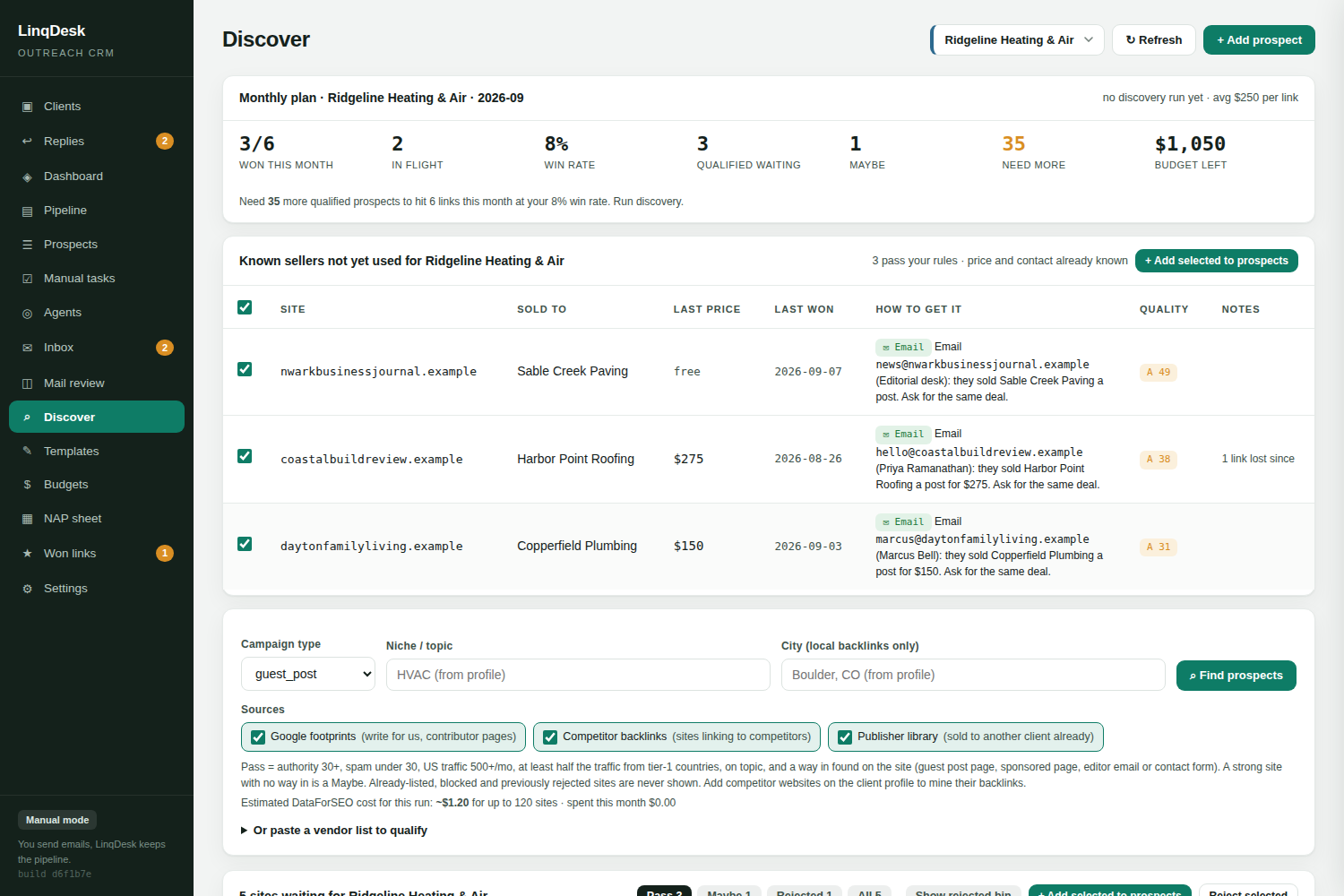
If you have to export a list into another tool to check authority, spam score and traffic, you will skip the check when you are busy. LinqDesk puts authority, spam score, referring domains, total backlinks, US monthly traffic, the tier-1 traffic share and the top ranking keywords on the prospect row itself, and Discover judges every site against your own floors before it can become a prospect. The verdict comes with the reasons written out and an article angle suggested.
Chambers, associations, sponsor pages and claimed listings rarely publish an editor's address. A tool that drops them is dropping the best local links. LinqDesk's triage agent visits each site, finds the door, and routes it: email to the pipeline, a form or application to Manual tasks, where the browser agent fills it from the client's NAP profile.
Outreach should go from your own mailboxes, at a per-mailbox daily cap you control, inside a sending window, and it should stop the instant a human replies. LinqDesk spreads each mailbox's quota evenly across the window rather than firing it in one burst, and sends follow-ups before new first emails so a started conversation is never starved by the daily cap.
A reply that sits for three days is a link that goes to someone else. LinqDesk classifies each reply on arrival, reads out the asking price, and the replies agent answers interested prospects, agrees a price up to the client's limit, counters once above it and nudges a thread that went quiet. Everything it is unsure about waits for one click.
Paid placements are real money. Software that ignores cost forces you back into a spreadsheet. LinqDesk deducts cost only when a link is actually won, carries unspent budget into the next month, and shows quotes on the table against what is left to spend.
Between "yes" and "paid" there is a brief to write, an article to send, a URL to find in the editor's reply and an invoice to settle. LinqDesk tracks each guest post as an order with a stage and a due date, and the orders agent does the chasing.
Publishers remove links. Without automated re-checks you will find out when a client audits their profile. LinqDesk rechecks every won link weekly as an ordinary browser, treats a 404 or a redirect home as Lost on the first check, and emails you when a link quietly turns nofollow.
A white-label PDF with the links, the authority, the cost and the live URLs ends more retention conversations than a dashboard login ever will.
| Type of tool | Solves | Leaves you with |
|---|---|---|
| Email sequencer | Sending and follow-ups | A spreadsheet for prospects, prices, orders and links |
| Relationship CRM | Contact history | No budgets, no monitoring, no client report |
| Managed placement service | Links bought for you | Thin margin and no control over the sites |
| LinqDesk | The whole loop per client, with agents | Approvals and the client call |
See the alternatives page for how LinqDesk compares with Pitchbox, BuzzStream, Respona and Postaga one by one.
| Done by LinqDesk | Done by you |
|---|---|
| Finding and measuring sites, judging them against your floors, finding the way in | Approving the Passes, reading the reasons on the Maybes |
| Routing each prospect to email or to a form, filling the form from the NAP profile | Clicking Submit in Ask me first mode |
| Writing, sending and following up on outreach from your mailboxes | Setting the daily cap and the sending window |
| Reading replies, reading out the price, answering and negotiating inside the limit | Anything over the limit, a contract, a bundle, anything unclear |
| Writing the brief and the article, chasing the editor, verifying the link | Approving the article, paying the invoice |
| Re-checking every link weekly, emailing you about a loss or a nofollow | Deciding whether to ask for it back or replace it |
| Building the client report and the budget table | The client call |
By client environments, never by contacts, emails or seats. Free for two clients with the whole product in manual mode. Starter is $49 a month for five clients. Agency is $99 for twenty-five clients with automatic sending and all four agents. Scale is $199 for unlimited clients. SEO metrics and discovery are included; if you want your own DataForSEO or Anthropic account billed directly, add the keys in Settings and every call is priced and capped. See pricing.
Create a workspace. Add a client with a budget, a target and a max cost per link, and paste their NAP tab. Connect a mailbox or stay in manual mode. Run Discover, approve the Passes, and let triage sort them. The agents start in Ask me first, so the first week is you approving what they propose and learning what they get right. Switch each one to Automatic when you trust it.
It manages the pipeline of link prospects, sends and follows up on outreach emails, records replies and placements, and reports on the links that were won. Better tools also qualify prospects on real SEO data, route sites that cannot be emailed, track the money, and check that placed links stay live.
Once you run outreach for more than two clients, the tracking overhead in spreadsheets usually costs more hours per month than the software costs in money. LinqDesk is free for two clients, so the question answers itself at client three.
Not if it sends from your own mailboxes at a modest daily cap and stops on reply. Problems come from high daily volume, unauthenticated domains and ignoring replies. LinqDesk spreads each mailbox's quota across your sending window and sends follow-ups before new first emails.
For the routine ones, yes. An interested editor who names a price, a quiet thread that needs a nudge, a polite no: the replies agent handles those inside the rules you set. Money over the limit after a counter, a contract, a bundle, or anything unclear stops for a person.
A sequencer sends. Link building software has to know what a link costs, who agreed to it, whether the article was published, whether the link is followed, and how much of the client's budget is left. None of that lives in a sequencer.
Create your workspace, connect a mailbox, add your first client. Five minutes.
Start free