A complete link building operating system: discovery, contact-path triage, outreach automation, four agents, order tracking, budgets, link monitoring and client reporting.
Start freeProspect, qualify, contact, reply, place, prove.
Every client gets an isolated workspace: pipeline, prospects, budget, won links. Nothing mixes, even at 100 clients.
Sends weekdays at 9 AM in your timezone from your mailboxes, follows up twice in-thread, checks inboxes every 5 minutes, and stops the second someone replies.
The agent visits every new prospect site and finds the real way in: a public email, a contact form, a membership sign-up or a platform listing. Email prospects go to the sending pipeline; the rest become manual tasks.
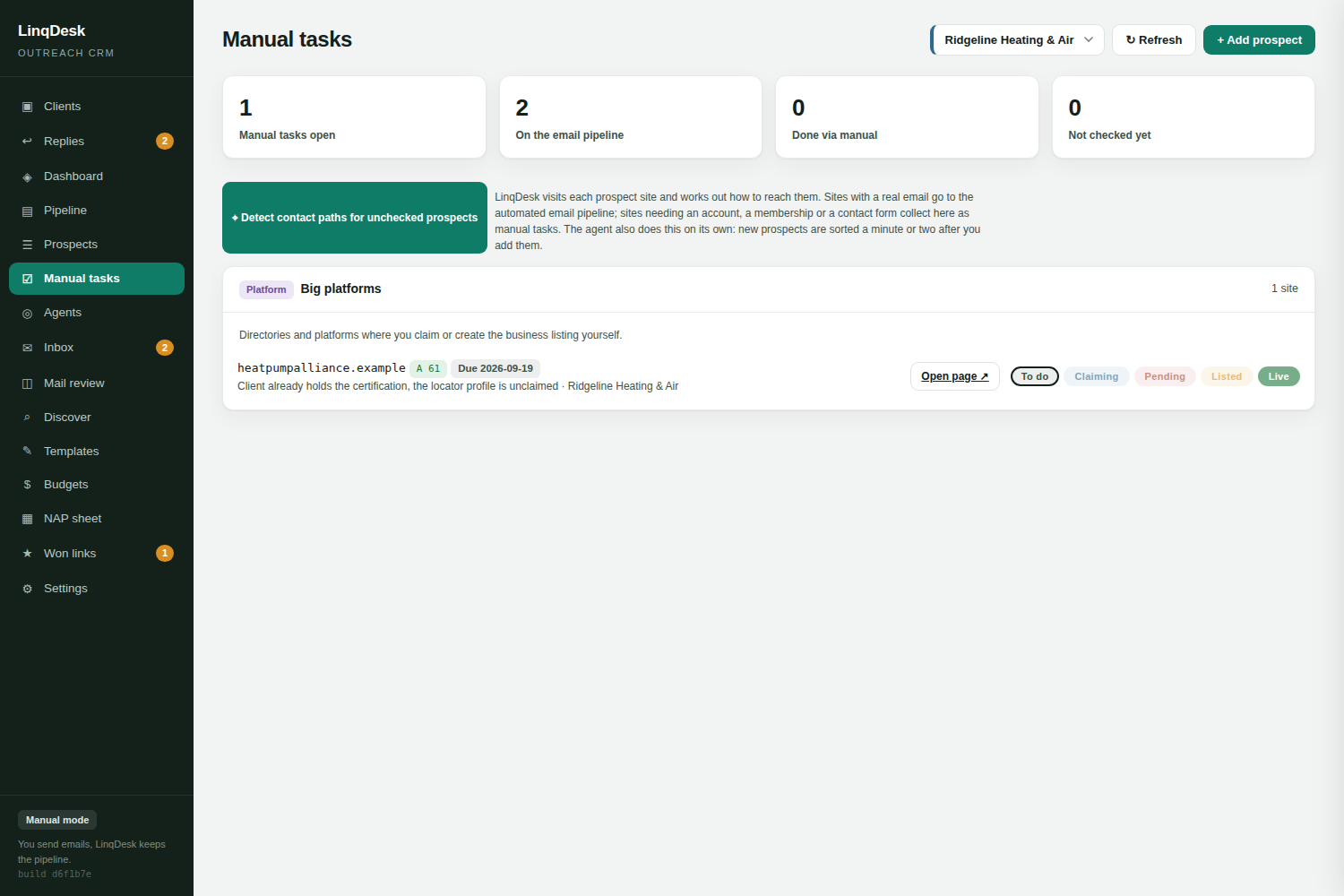
Sign-ups, contact forms and platform listings get their own To do, In progress, Submitted, Live flow with due dates, so nothing that needs a human falls through.
Every sent email and reply, readable per prospect inside the app, including outreach you sent straight from Gmail. Replies are classified, AI drafts the answer, and you are emailed when one arrives.
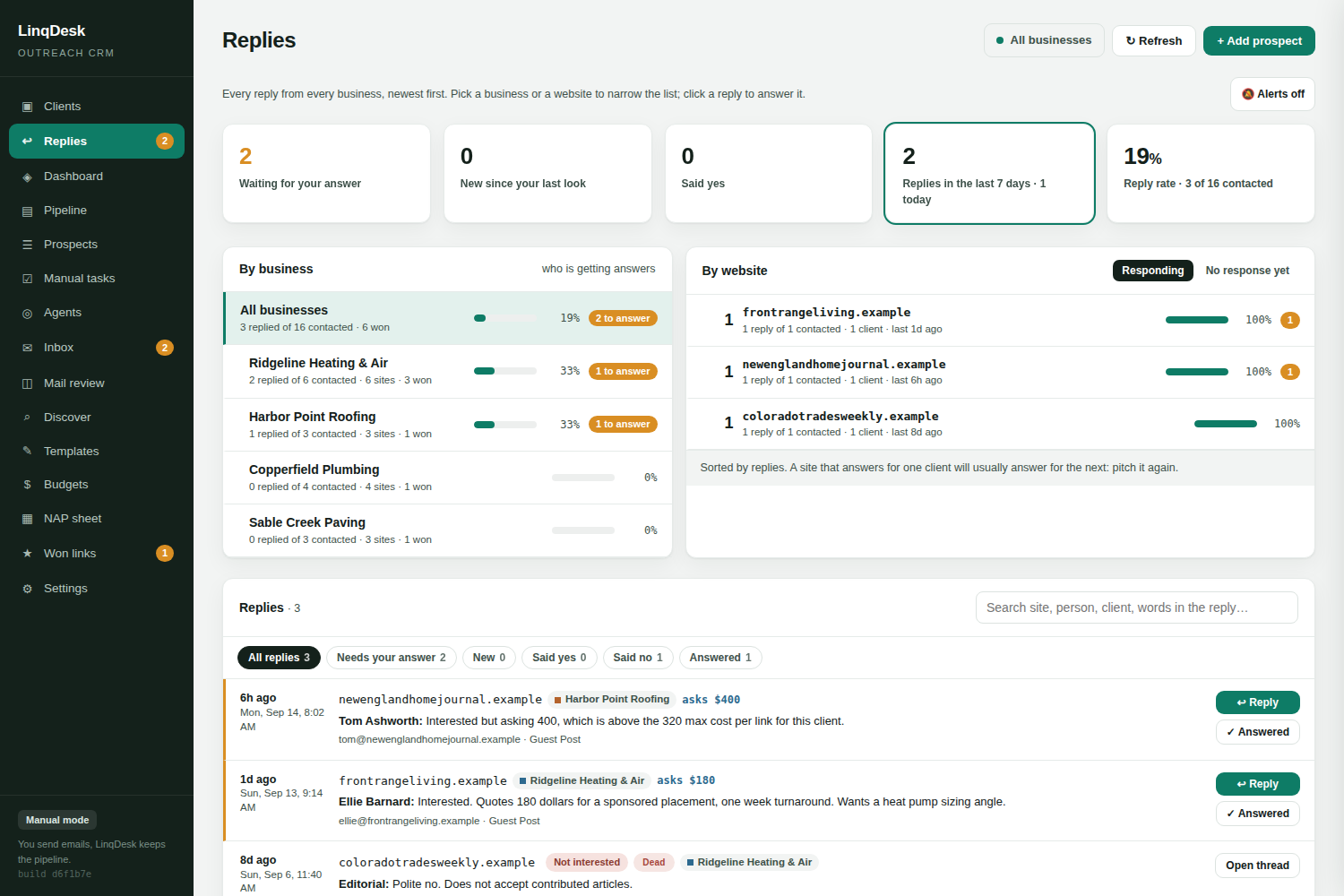
The Replies page lists every answer for every client, newest first, with who is waiting on you, which clients are getting answers and which websites respond, so you know where to push harder. New replies are announced wherever you are.
Paste the client's NAP tab from Google Sheets and the business profile that personalises every email updates itself nightly.
Enter a niche and city. LinqDesk searches live Google results for chambers, sponsors, write-for-us pages and vendors, scores them, and hides ones already in your pipeline.
Authority, spam score, referring domains, total backlinks, estimated organic traffic, ranking keyword count and the top 3 keywords each prospect ranks for.
Set a monthly link budget per client. Unspent money carries forward, and spend is deducted only when a link is actually won.
Every won backlink is rechecked weekly: the actual link is found on the page and its anchor text, target and rel are recorded. If a site quietly removes it, you get an email before the client notices. The page itself is checked on Google until it is indexed, and you hear about any guest post still not indexed after two weeks.
One click finds the right contact email for a prospect domain with a confidence score, one at a time or in bulk.
When a site says yes, generate the guest post, PR piece or pitch tailored to that client and that host site.
Add your team with their own logins. They work every client; only the owner touches workspace settings.
One click opens a print-ready report of won links with your agency name, stats and live URLs; save it as a PDF. No LinqDesk branding anywhere.
Gmail and Google Workspace in one click, or Outlook, Zoho, Hostinger, GoDaddy and cPanel over SMTP, with per-mailbox daily limits.
Drop in xlsx or CSV lists with automatic column mapping. Manual mode works with zero setup.

Each one runs Off, Ask me first, or Automatic per workspace. Every action is a row on the Agents page and a line on the prospect's timeline.
Answers interested prospects, agrees a price up to the client's Max cost per link, counters once above it, nudges a thread that went quiet, closes a no, and stops for a person on anything else: money over the limit, a contract, a bundle, anything unclear.
Keeps each client's month supplied. When the month is short of prospects it adds qualified discovered sites, promotes a Maybe whose researched way in is high-confidence and affordable, runs the email finder on prospects with no address, and emails one daily digest.
Takes an agreed guest post to a live link: writes the brief and the article, sends it in the thread, spots the published URL in the editor's reply, verifies the link on the page, asks after ten quiet days, and asks the publisher once about a lost or nofollow link.
Opens each Form or Signup prospect in Chromium, fills the contact form or application from the client's NAP profile, and either submits or reports READY with the fields it filled. In code, not just in the prompt, it never types a password, creates an account, enters card details or invents a figure.

Not every backlink prospect has an editor's address. LinqDesk routes each one to the way it can actually be won.
Contact-path triage. An hourly agent visits each new prospect site, finds the real way in and routes it. A site with a public email, or one found through the email finder, goes to the email pipeline. A site that needs an account, a membership application, a claimed platform listing or a contact form lands in Manual tasks with its own To do, Filling form, Pending, Form sent, Live flow. Live promotes the lead to Won.
Bot walls are not dead ends. A site behind Cloudflare, Sucuri or a hosting firewall often answers a plain request with a 403. The check retries with the headers Chrome sends, then reads the page in headless Chromium. Only a site that turns even a browser away stays Not checked, and those are tried again a few days later.
Bounce recovery. A bounce is treated as a wrong address, not a dead site. The bounced address is blocked for good, the site is read again for another address, the email finder is asked too, and the prospect goes back to New so outreach starts over in a fresh thread. With nothing else on the site, a contact form turns it into a Manual task. Three bounces on one site and it is left alone.

The stretch between an agreement and a live, paid link is where spreadsheets fail. LinqDesk tracks it as an order.

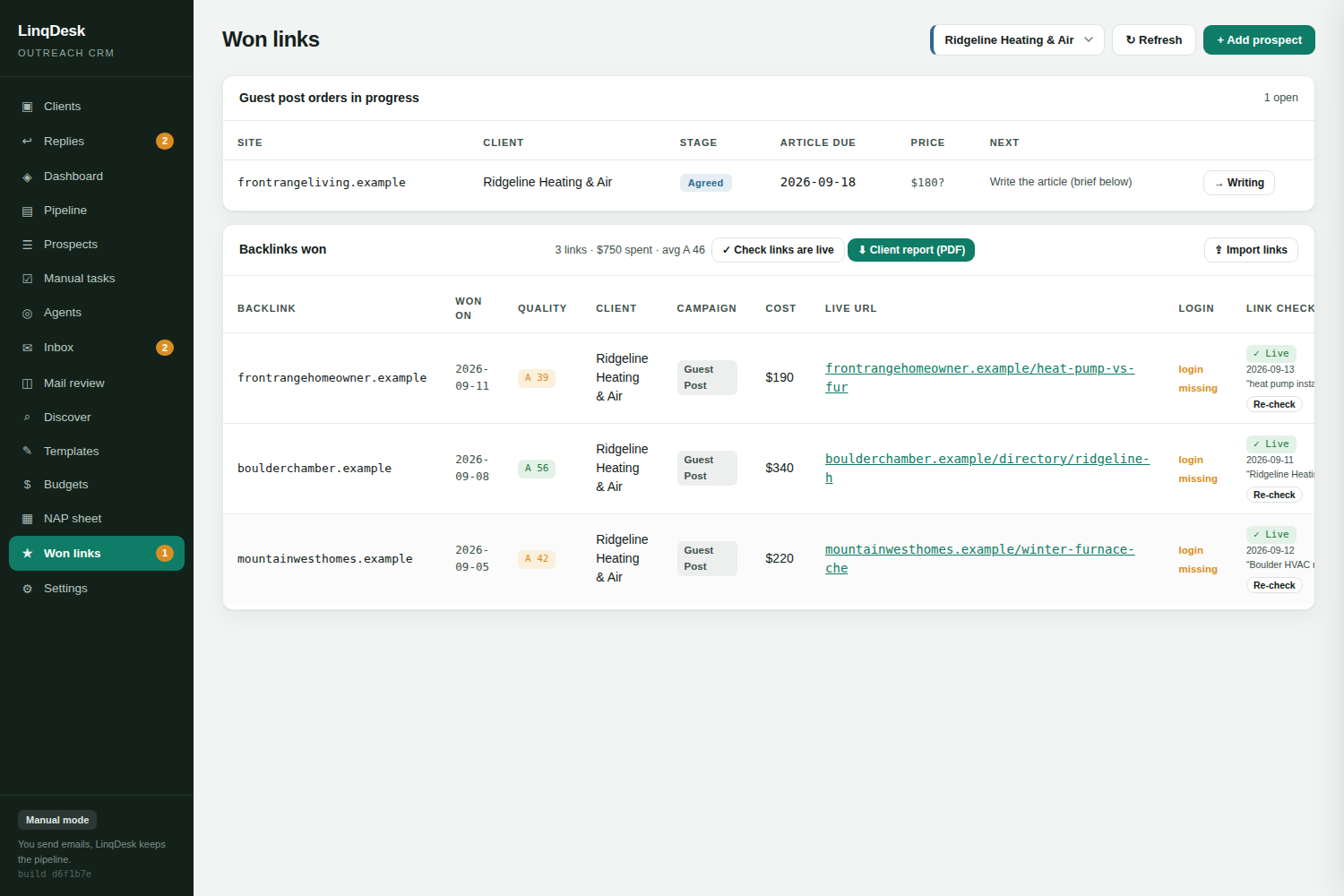
Order stages. Every guest post carries an order stage: agreed, writing, article sent, published, paid, with an article due date. A Won link with a live URL moves to published by itself, Paid stamps the date, and the Won links tab lists open orders with overdue articles and money still owed.
Article briefs and articles. One click writes a brief for the writer: title, meta, outline, the two client links with anchors, and notes built from the client profile and what the host site ranks for. With AI on, the orders agent writes the article itself and sends it in the thread.
Asking prices. A reply that names a price is read for it and lands on the prospect as the asking price, separate from the agreed cost. Budgets shows quotes on the table against what is left to spend, and the replies agent never agrees a price above the client's max cost per link.
Link monitoring. The weekly monitor fetches each placement page as an ordinary browser and looks for a real link to the client's domain. A 404 or a redirect home is Lost on the first check, an unreachable page has to fail three in a row, and a link that turned nofollow is emailed to you like a loss.
Google index check. A live guest post Google has not indexed passes next to nothing. Each placement page is looked up on Google every 2 days for its first two weeks, then weekly until it shows up, then monthly in case Google drops it. A page still not indexed after two weeks, or dropped, is in your daily alert email so you can ask the publisher to link to it or submit it in Search Console.
Prioritise the domains worth chasing before you spend a single email.
| Metric | What you use it for |
|---|---|
| Authority score | Baseline domain strength, 0 to 100, with a Pass floor you set |
| Spam score | Rejecting link farms before outreach |
| Referring domains | Whether the link profile is real or bought |
| Total backlinks | Spotting sitewide-link inflation |
| US monthly traffic and tier-1 share | Whether the site has a live audience where your clients sell |
| Ranking keyword count | Breadth of the site's search visibility |
| Top keywords | Topical fit with your client's niche, read by AI when configured |
Every DataForSEO call books its real cost. Settings shows the month's spend and takes a monthly cap, and each discovery run shows its estimated cost before it starts. A site measured this month is not paid for twice.
The Live tab shows every crawler, mailbox check, sending run, agent sweep and browser session as it happens, per business.

Pushed from the server over an event stream. Filter by business and by kind, newest first, with a link to the prospect. The nav entry carries a green dot on every page while anything is running.
What is running for each client right now and its last 24 hours of replies, emails, agent actions and crawled sites.
The linqdesk CLI talks to the same API: prospects, add, show, inbox, send, won, agents, approve, reject, release. Add --json to any command for scripts.
Gmail and Google Workspace in one click, and any SMTP and IMAP mailbox: Outlook, Zoho, Hostinger, GoDaddy, cPanel. Each mailbox has its own daily cap and sending window. One mailbox can be assigned to one client so that client's outreach and form submissions all use the same address.
Every AI call is priced and booked to the workspace's AI ledger, and a monthly cap in Settings stops it. Without your own key the workspace runs on the Fast tier. Add your own Anthropic key, stored encrypted, to pick Balanced or Best and bill it to your account.
It never types a password, creates an account, enters card details, invents a figure, or clicks Submit when it is not allowed to. Anything like that lands in Pending with the exact step a person must do. A CAPTCHA stops it unless the workspace has a solving service on file.
Yes. Bulk import takes xlsx or CSV with automatic column mapping, and the Discover tab takes a pasted vendor sheet with a domain and price per line and measures every site before you add it.
Yes. Keys are created in Settings and the linqdesk command line tool talks to the same API as the web app: list prospects, add one, log a sent email or a reply, mark a link won, approve an agent action.
Create your workspace, connect a mailbox, add your first client. Five minutes.
Start free